tdrive
Turn any directory into a private web drive with HTTP, WebDAV, and FTP access — one static binary, no database.
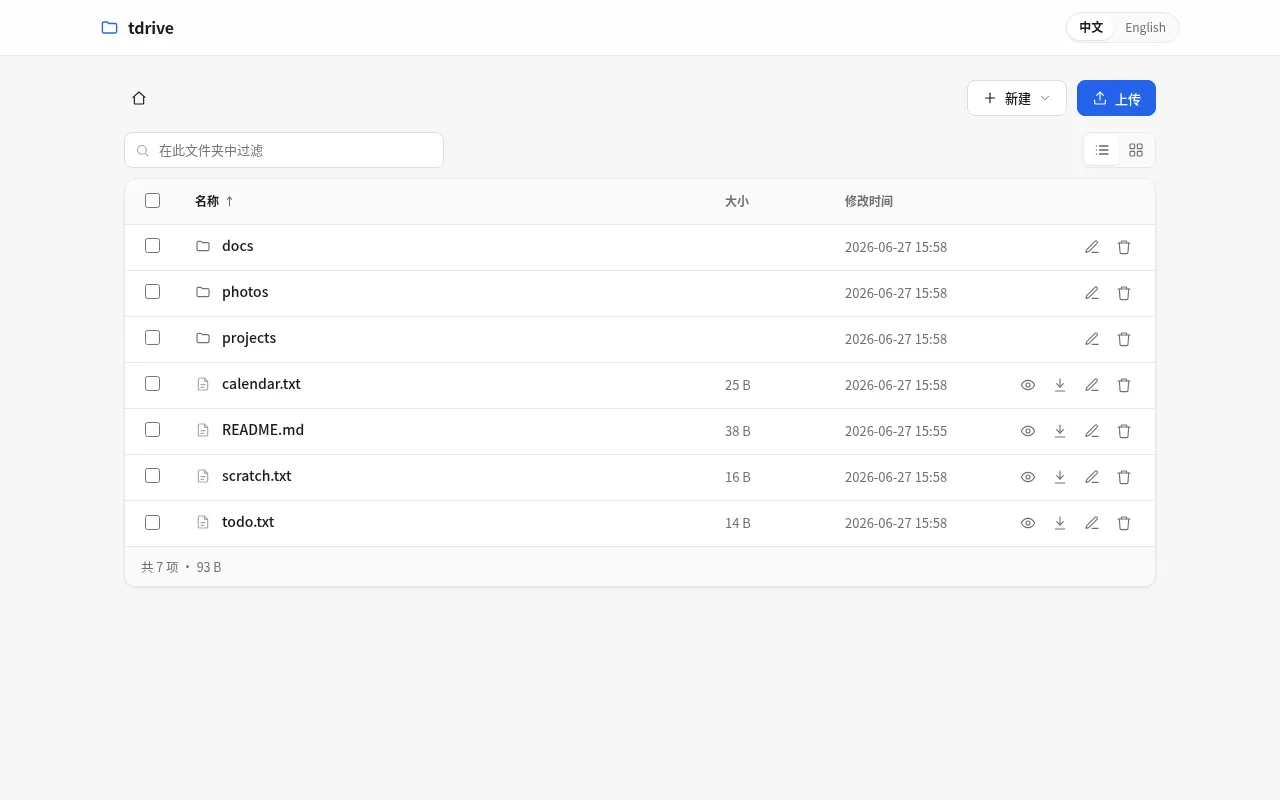
tdrive turns an ordinary directory into a personal file service. Point it at a folder, start one binary, and the same files are immediately available through a polished web interface, WebDAV, optional FTP, and a REST API.
There is no database to migrate, no configuration file to maintain, and no frontend toolchain to install. Your files stay as normal files on disk, so backups, scripts, editors, and command-line tools can keep working with them directly.
A lightweight drive that still feels complete
The browser interface is designed for everyday file work rather than being a thin directory listing:
- Filter the current folder instantly, sort by column, and switch between list and thumbnail grids.
- Upload from the toolbar or drag files into the browser. Large uploads are chunked, while downloads stream with HTTP range support.
- Preview images and HTML, and render Markdown with GFM, Mermaid, KaTeX, and syntax highlighting.
- Edit text files in place, create folders and files without modal dialogs, and use familiar keyboard shortcuts.
- Select multiple entries for batch operations, drag items between folders, or use the context menu to rename, delete, download, and copy a raw URL.
- Switch the interface between 中文 and English.
One directory, several access methods
Every interface operates on the same filesystem tree:
| Interface | Address | Best for |
|---|---|---|
| Web UI and HTTP | http://host:3000/ | Browsing, previewing, editing, and sharing links |
| WebDAV | http://host:3000/webdav/ | Mounting the directory in an OS or file manager |
| FTP | Enabled with --ftp-port | Existing FTP clients and LAN workflows |
| REST API | /api/v1 | Scripts and integrations |
| Raw files | /raw/<path> | Stable direct URLs and nginx-style folder indexes |
The storage layer is confined with Go’s os.Root: path traversal and symbolic
links cannot escape the directory you chose to serve. A read-only mode can
disable every upload, edit, move, and delete operation across all protocols.
Start in seconds
Serve the current directory on port 3000:
tdriveServe a dedicated folder and require a password:
tdrive /srv/files --port 3000 --password "choose-a-strong-password"Add FTP access for clients that need it:
tdrive /srv/files --password "choose-a-strong-password" --ftp-port 2121For a local-only workspace, bind it to the loopback interface:
tdrive ~/files --host 127.0.0.1By default tdrive listens on all interfaces without authentication. Set
--password, use --host 127.0.0.1, or place it behind an authenticated HTTPS
reverse proxy before exposing it outside a trusted network.
Where it fits
tdrive is useful when a full NAS platform is more machinery than the job needs: a private download box, a temporary project share, a small home-server drive, a browsable folder on a development machine, or a read-only archive with clean direct links.
The current release provides native amd64 packages for Windows and Linux. Source code, issue tracking, and release history are available in the tdrive GitHub repository.