windbg-ctype
A WinDbg extension that parses C headers and dumps memory as those types — like dt, but for types that were never in any PDB.
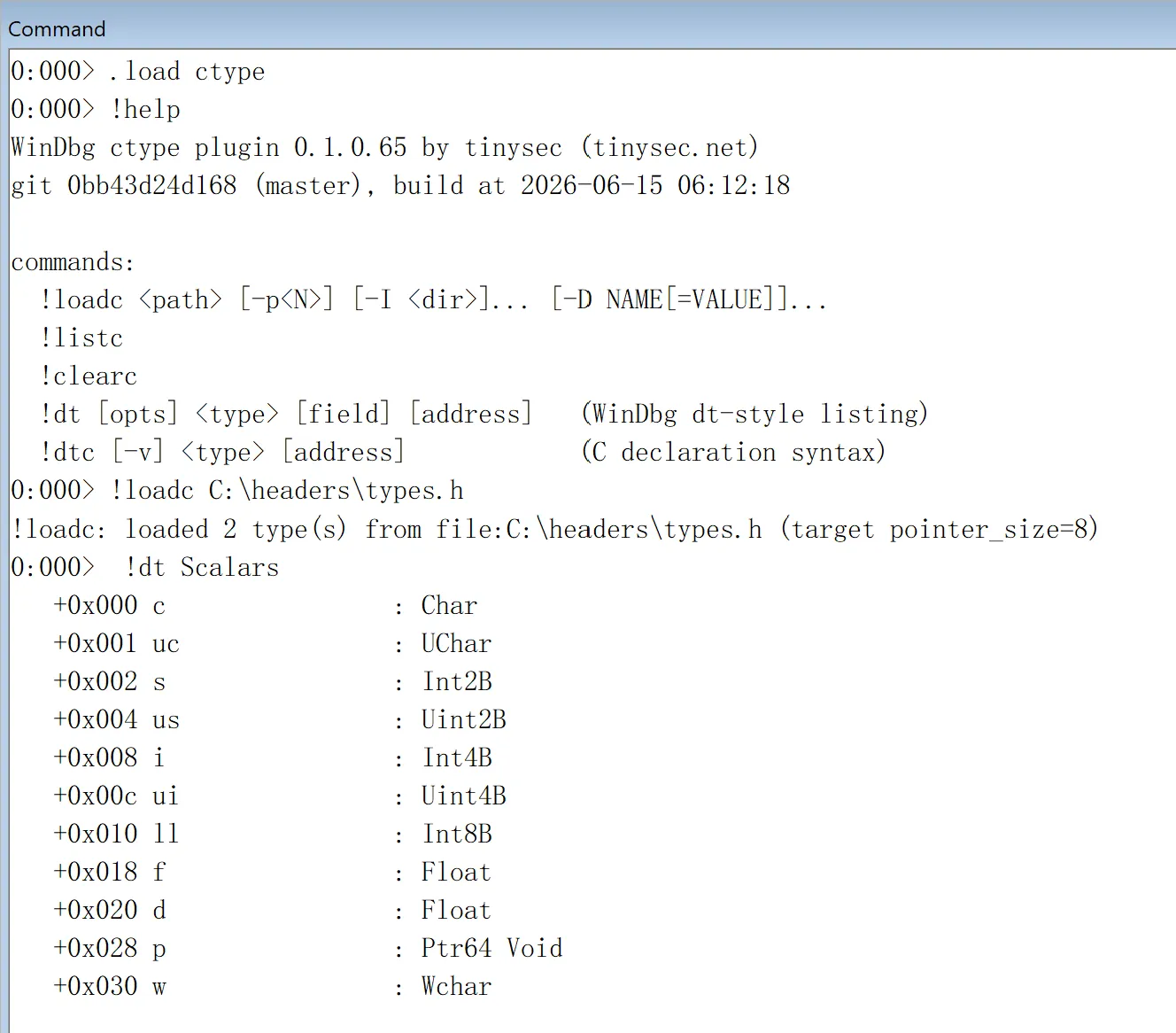
dt is one of the most useful commands in WinDbg, but it only knows the types
that are baked into the loaded PDBs. The moment you are staring at memory whose
symbols you do not have — a third-party driver, an undocumented OS structure, a
packet you only have a header for — dt has nothing to say.
windbg-ctype closes that gap. You give it a C header, it parses the declarations
itself, and from then on you can walk memory through those types exactly the way
dt walks symbol types — even though the debugger has never seen a matching PDB.
What it does
The extension carries a small C parser. !loadc reads a header, resolves the
type layout (the same rules the compiler would apply), and registers every
struct, union, enum, and typedef it finds. After that:
!dtprints a type the way the built-indtdoes — field names, offsets, and the WinDbg type of each field; pass an address and it reads and prints the values there too. The layout output matches WinDbg’s owndtfor the same type, so it drops straight into the workflow you already have.!dtcprints the type back as a C declaration, optionally annotated with offsets, which is handy when you want to paste a struct into your own code or sanity-check what the parser actually understood.
It handles the parts of C that real headers actually use: nested structs and
unions, anonymous members, bitfields, fixed arrays, pointers and function
pointers, enum-typed fields, #pragma pack, and explicit alignment via
__declspec(align(N)) or alignas(N). Include directories (-I) and
preprocessor defines (-D) are passed through, and -p<N> overrides the
default pack so you can match whatever the target was compiled with.
Anything it does not own — a module-qualified name like nt!_EPROCESS, a
wildcard, or a type it never loaded — is forwarded to the built-in dt, so you
never lose the normal behaviour by having the extension loaded.
Commands
!loadc <path> [-p<N>] [-I <dir>]... [-D NAME[=VALUE]]...   load a header
!listc                                                     list loaded types
!clearc                                                    drop all loaded types
!dt [opts] <type> [field] [address]                        dt-style listing
!dtc [-v] <type> [address]                                 C declaration output
!help                                                      reference + build info
Example
Say you have this header:
// C:\headers\types.h
struct Scalars
{
    char c;
    unsigned char uc;
    short s;
    unsigned short us;
    int i;
    unsigned int ui;
    long long ll;
    float f;
    double d;
    void* p;
    wchar_t w;
};

struct Bits
{
    unsigned long a : 1;
    unsigned long b : 2;
    unsigned long c : 5;
    unsigned long d : 24;
};
Load the extension, load the header, and list a type:
0:000> .load C:\tools\ctype\ctype.dll
0:000> !loadc C:\headers\types.h
!loadc: loaded 2 type(s) from file:C:\headers\types.h (target pointer_size=8)

0:000> !dt Scalars
   +0x000 c                : Char
   +0x001 uc               : UChar
   +0x002 s                : Int2B
   +0x004 us               : Uint2B
   +0x008 i                : Int4B
   +0x00c ui               : Uint4B
   +0x010 ll               : Int8B
   +0x018 f                : Float
   +0x020 d                : Float
   +0x028 p                : Ptr64 Void
   +0x030 w                : Wchar
The offsets are the real layout the compiler would produce — note how ll
lands at +0x010 after the 4-byte padding behind ui. Bitfields are reported
the same way dt reports them:
0:000> !dt Bits
   +0x000 a                : Pos 0, 1 Bit
   +0x000 b                : Pos 1, 2 Bits
   +0x000 c                : Pos 3, 5 Bits
   +0x000 d                : Pos 8, 24 Bits
!dtc prints the same type back as a C declaration, with -v adding the
offset of each field:
0:000> !dtc Scalars
// size is 0x38 (56)
struct Scalars
{
    char           c;
    unsigned char  uc;
    short          s;
    unsigned short us;
    int            i;
    unsigned int   ui;
    long long      ll;
    float          f;
    double         d;
    void*          p;
    wchar_t        w;
};
Pass an address after the type name (!dt Scalars <address>) and it reads and
prints the values living there, just like dt.
Requirements
- Windows, with the Debugging Tools for Windows (WinDbg /
cdb/kd). - The DLL architecture must match the debugger architecture: load the amd64 build in 64-bit WinDbg and the i386 build in 32-bit WinDbg. Loading the wrong one fails with an architecture-mismatch error.
- No network access and no symbol server are involved — the only input is the header you point it at.
Install
Unzip the build for your debugger’s architecture and load ctype.dll from
wherever you put it:
.load C:\tools\ctype\ctype.dll
!help
!help prints the version, the commit it was built from, and the command list,
so you can always tell which build you are running.